

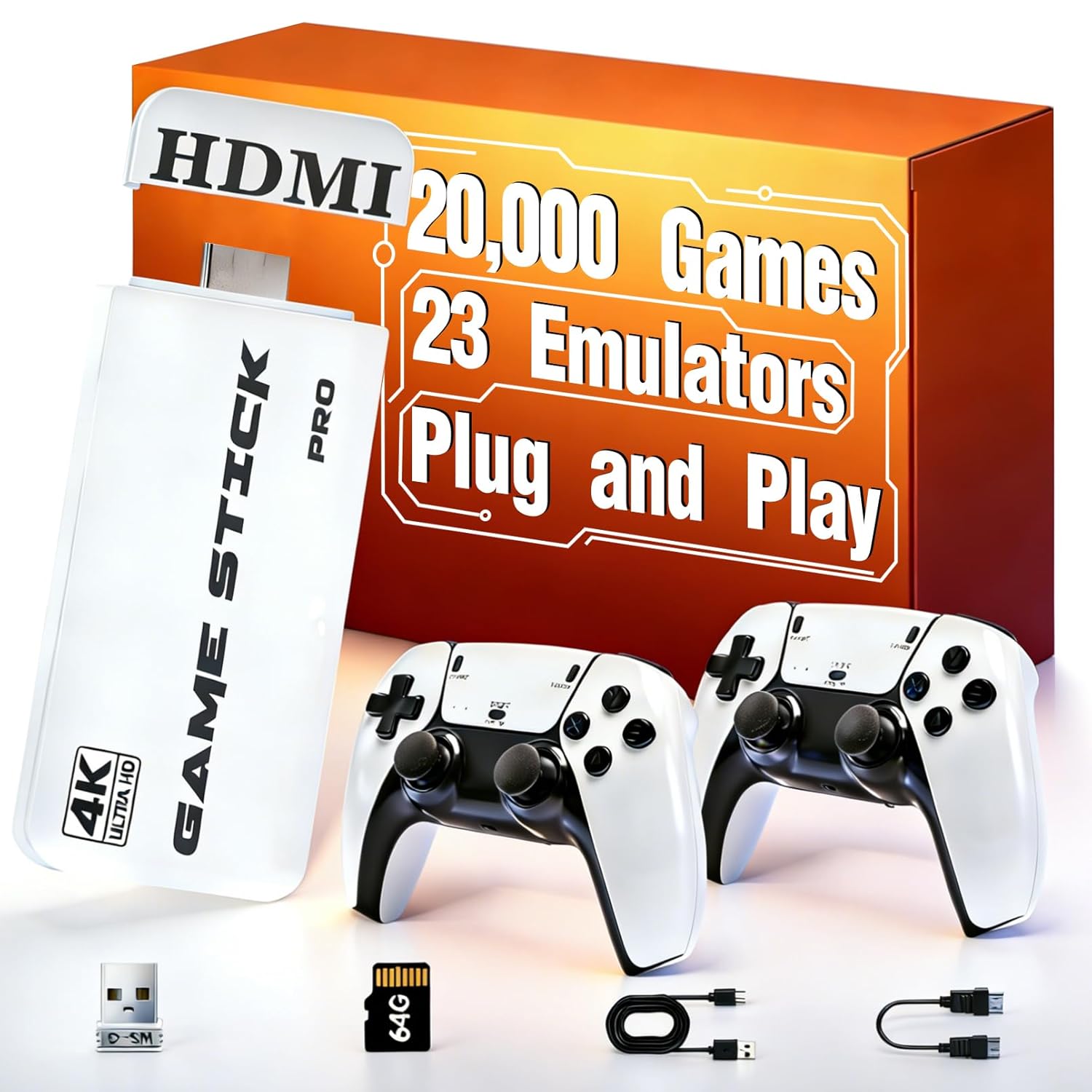
Upgrade Retro Gaming Console, Retro Game Console Stick 21.000+ Classic Video Games, Plug & Play Game Stick HDMI 4K for TV with 2 Wireless Controllers, Games Nostalgic Stick (128G Pro)
Product details
| Management number | 219369405 | Release Date | 2026/05/03 | List Price | $19.60 | Model Number | 219369405 | ||
|---|---|---|---|---|---|---|---|---|---|
| Category | |||||||||
How to Save Game Progress? 2025 New Upgrade Retro gaming console, Simultaneously press the "select" and "start" buttons on the controller. Then click on "Save Status". Afterwards, you can exit game. When you want to restore your position, enter the game and select "loading status" this time. It can work even after power cycling. Why Is the Controller Not Working Properly? 1. The controller requires a battery to be inserted before use. You can open the battery compartment on the back of the controller and insert the battery. 2. Please plug the USB receiver into the game stick. If there is no response, please wipe the USB interface. 3. There is a switch at the bottom of the controller, please turn on the switch at the bottom of the controller.
- 【2025 New Upgrade Retro gaming console】:This retro handheld game console features upgraded 2.4G wireless controllers, providing complete functions and a more advanced, comfortable texture. Enjoy gaming with friends or family without the hassle of wires. The video games console supports two players simultaneously, offering responsive, low-latency gameplay.
- 【Retro Game Console Plug & Play】:The retro game stick console features an impressive library of over 21,500+ retro games. Players can easily enjoy a wide array of classic games without the need for downloads or internet access. This game console is perfect for family game nights, allowing everyone to dive into nostalgic gameplay and relive memorable moments from their childhood, making it a fantastic addition to family entertainmen.
- 【Easy to Use & Save Game】: No setup required. The steps are as follows: Connect the TV HD output; use the USB data cable to connect to the power supply. When the game stick indicator lights up, it will automatically turn on and enter the game list interface; turn on the power switch of the game controller, and then start playing games.When you want to save the game progress, press the SELECT and START keys at the same time to open the menu bar, and then you can save or load the game status!
- 【Retro Game Console HDMI HD】: This console delivers high-definition picture quality on compatible monitors or TVs. The included HDMI cable ensures a seamless connection with your TV, set-top box, or PC. Enjoy smoother gameplay with the ability to save game progress and easily find your favorite games whenever you want.
- 【Timeless Meaningful Gift】: Whether you're introducing your kids to classic games or reliving your own nostalgic memories from the 80s and 90s, this retro game stick is the ideal gift. Perfect for birthdays, Christmas, Thanksgiving, or any holiday, it's a great way to bring family and friends together. If you encounter any issues, our customer service is here to help!
| Color | White |
|---|---|
| Platform | Game Boy Advance |
| Brand Name | ASTEKID |
| Model Name | Upgrade Pro |
| Resolution | 1080p |
| Input Device | Gamepad |
| Manufacturer | ASTEKID |
| Connectivity Technology | HDMI |
| Memory Storage Capacity | 128 GB |
| Compatible Flash Memory Type | microSDXC |
| Wireless Communication Technology | 2.4GHz wireless |


Bestseller ranking
Adjuster Cables



Customers who viewed this product also viewed
Consoles



Correction of product information
If you notice any omissions or errors in the product information on this page, please use the correction request form below.
Correction Request Form